

Download OBS Studio – Best Free Screen Recorder & Streaming Software
OBS Studio (Open Broadcaster Software) is the world’s leading free and open-source tool for screen recording and live streaming. Whether you're a gamer, content creator, or professional broadcaster, OBS Studio provides a complete solution to capture, record, and broadcast with ease and quality. It’s widely used by YouTubers, Twitch streamers, and even professional studios due to its powerful features and zero watermark output.
Unlike other recording software, OBS Studio delivers performance, flexibility, and customization—all in one lightweight package. In this detailed guide, we’ll explore everything about OBS Studio, from its main features and setup to system requirements and how to download it safely.
About OBS Studio
OBS Studio is a free recording and broadcasting software available for Windows, macOS, and Linux. It allows you to record your screen, capture gameplay, mix multiple audio/video sources, and stream live to platforms like YouTube, Twitch, and Facebook Live. Since it’s open-source, it’s constantly updated by a massive community of developers who add new plugins and enhance performance every year.
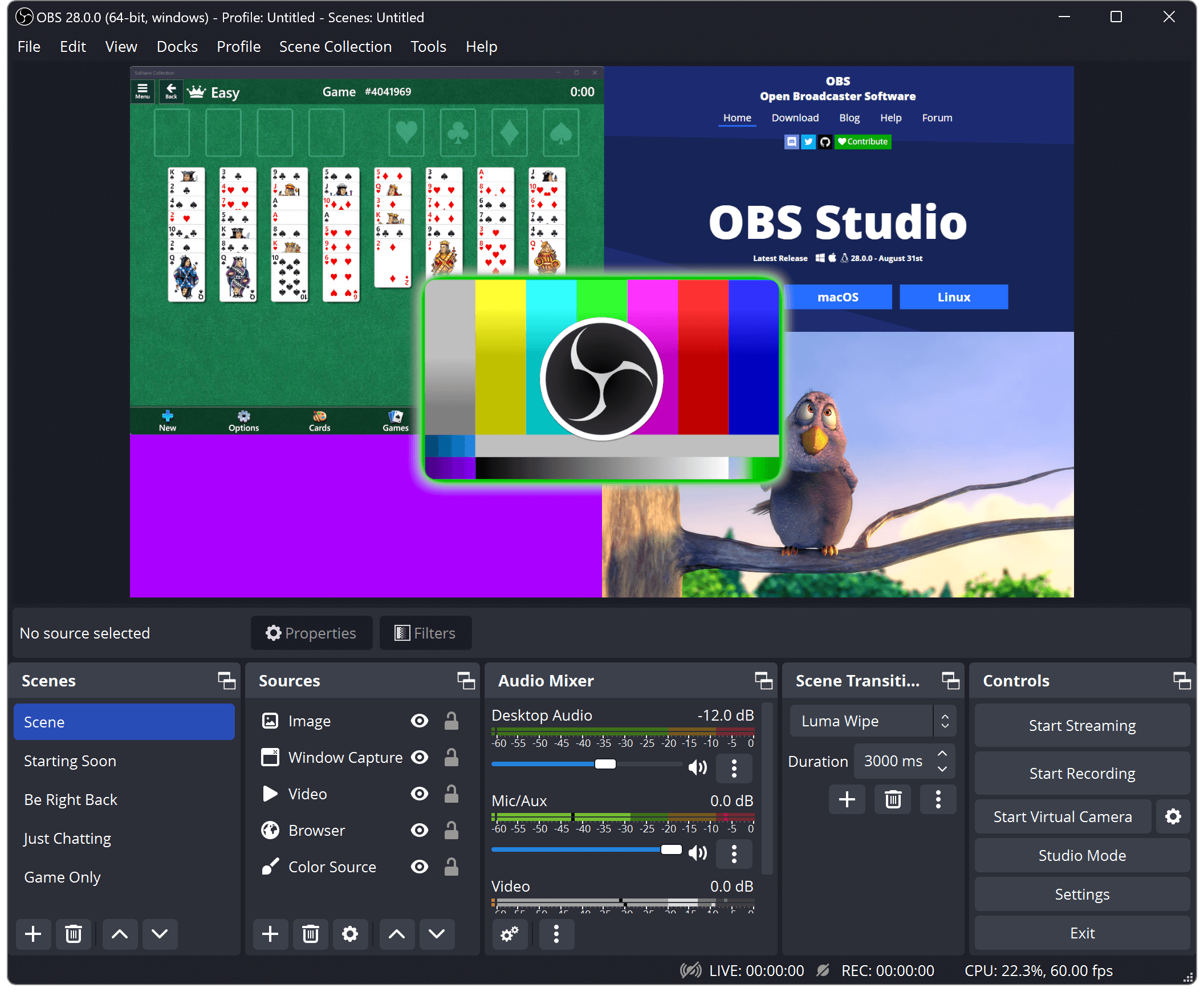
With OBS, you can create professional live shows with transitions, effects, and real-time mixing. It supports hardware encoding (using NVIDIA NVENC, AMD, or Intel), multi-scene setup, virtual camera output, and integration with Discord, Zoom, and other apps.
Key Features of OBS Studio
- 🎥 High-Quality Screen Recording: Capture video in full HD or even 4K with smooth frame rates.
- 📡 Live Streaming Support: Stream directly to YouTube, Twitch, Facebook, or any RTMP server.
- 🧩 Scene Composition: Combine multiple sources—webcams, gameplay, overlays, and audio—in one scene.
- 🎛️ Audio Mixer: Advanced audio control with filters, noise suppression, and gain options.
- ⚙️ Customizable Settings: Set your own bitrate, resolution, frame rate, and encoder.
- 🎨 Themes & Overlays: Create visually stunning layouts for your streams.
- 🚀 Lightweight & Fast: Optimized for minimal CPU usage during recording or streaming.
- 🔒 No Watermark: 100% free and professional without any limitations.
- 🔌 Plugin Support: Extend functionality with community plugins (StreamElements, StreamFX, etc.).
- 💾 Multi-Format Recording: Save in MP4, MKV, FLV, or MOV with direct replay buffer access.
System Requirements (Windows)
| Component | Minimum | Recommended |
|---|---|---|
| OS | Windows 10 (64-bit) | Windows 11 (64-bit) |
| Processor | Intel i5 4th Gen / AMD FX Series | Intel i7 / Ryzen 5 or higher |
| RAM | 4 GB | 8 GB or more |
| GPU | DirectX 10 compatible | NVIDIA GTX 1060 / AMD RX 580 or better |
| Storage | 200 MB free space | SSD recommended |
| Internet | Required for streaming | High-speed broadband |
Conclusion
OBS Studio remains the undisputed champion of free screen recording and live streaming tools. It offers unmatched customization, reliability, and community support. Whether you’re streaming games, recording tutorials, or hosting live shows, OBS gives you everything you need to produce professional-quality content effortlessly.
Download OBS Studio today and start your streaming journey like a pro — without paying a cent!
Watch Setup & Streaming Tutorial
Don’t forget to subscribe to our YouTube channel and join our Telegram group for more tutorials, gaming tips, and software reviews!